
What you write is what you see.
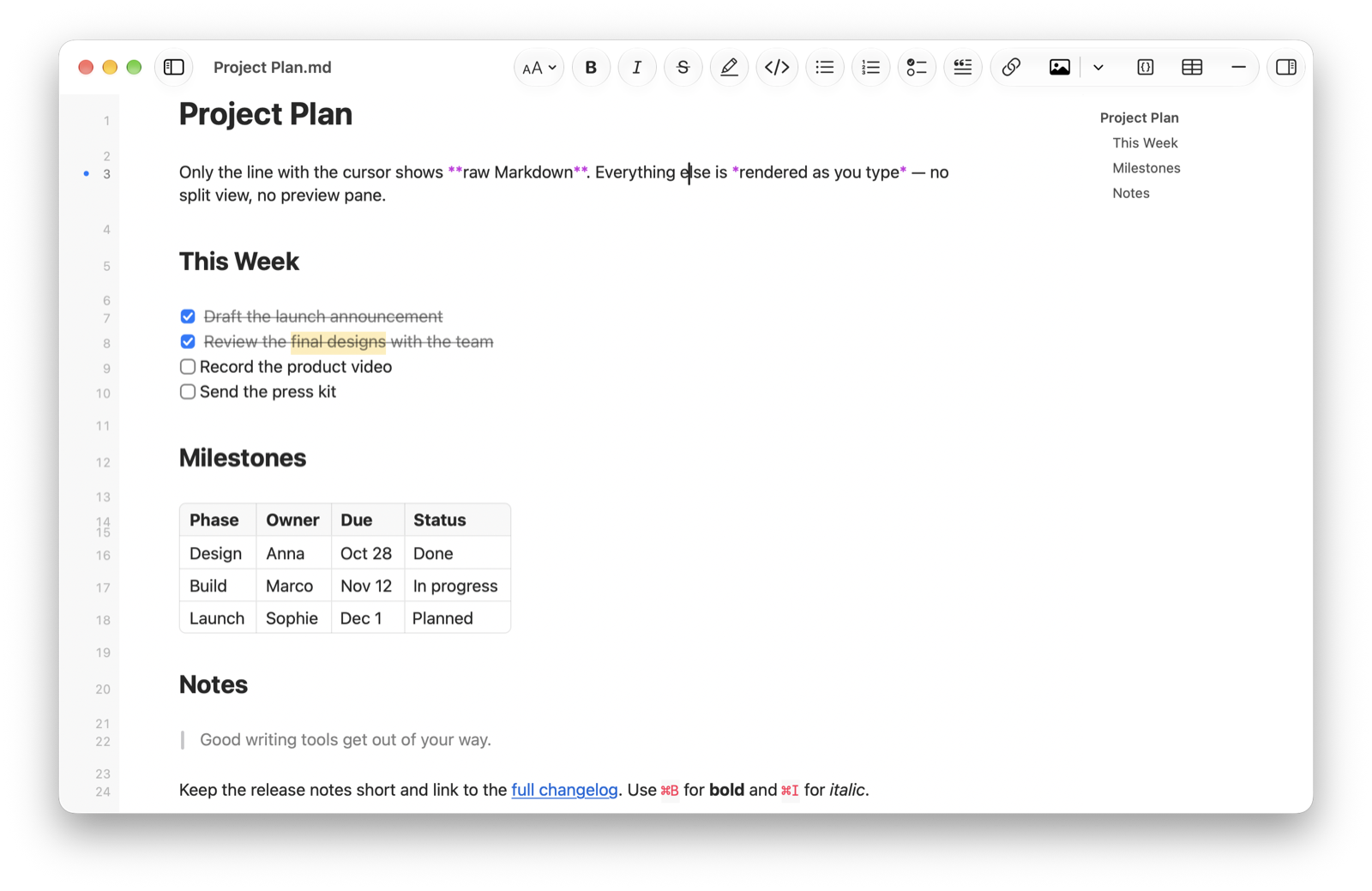
Markdown Magic renders every line as you type. Only the line with the cursor shows its raw Markdown — no split view, no separate preview. Mermaid diagrams and LaTeX formulas appear right below their source.
Version 1.0 · Requires macOS 27 or later
Everything you need to write in Markdown
A focused editor that stays out of your way, with the tools technical writing needs.
-
Live preview in one view
Headings, emphasis, lists, quotes, code, links and tables are rendered in place. Move the cursor onto a line to edit it; move on and it renders again.
-
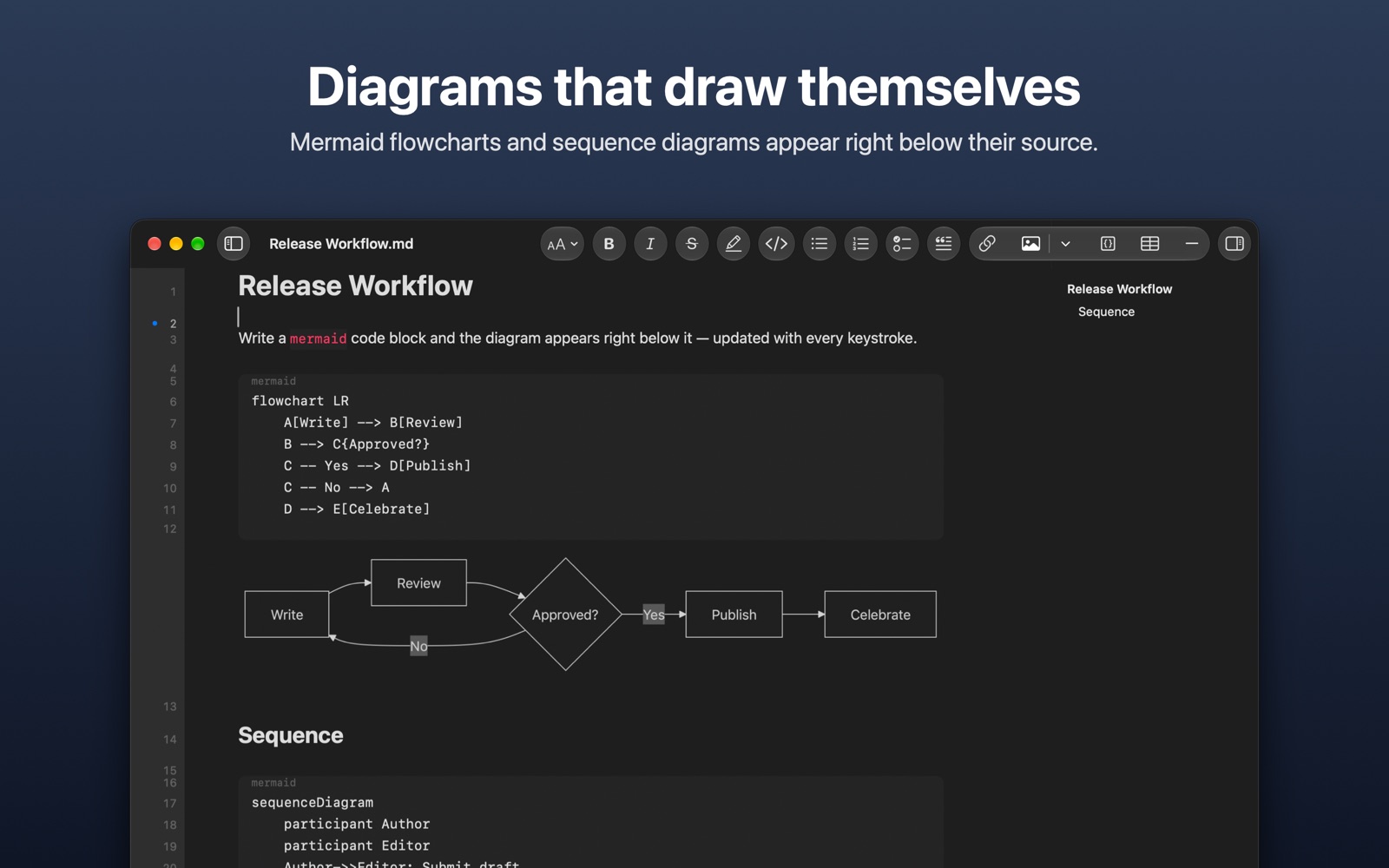
Mermaid diagrams
Write a mermaid code block and the flowchart or sequence diagram is drawn below it, updated with every keystroke.
-
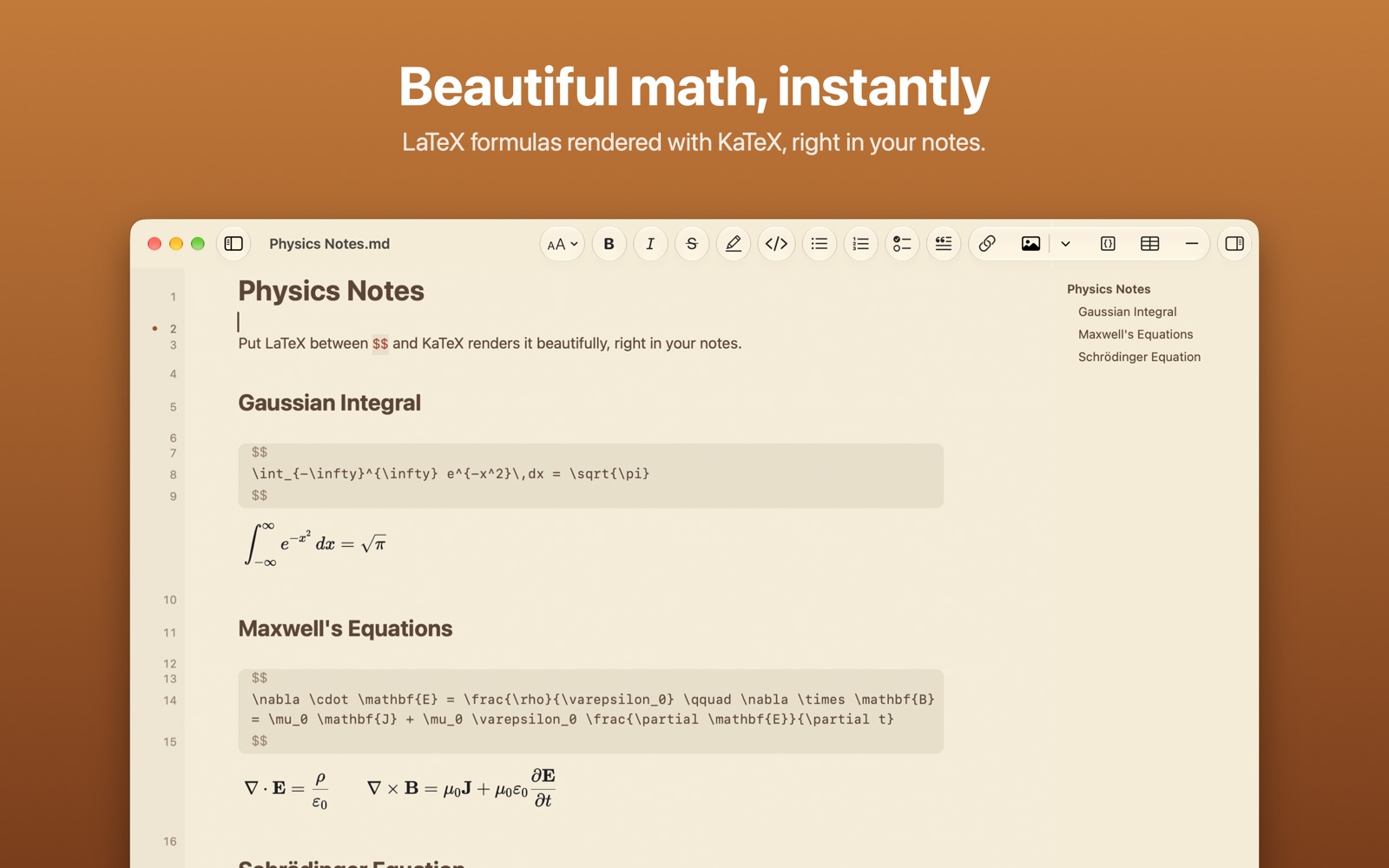
KaTeX formulas
Put LaTeX between $$ or in a math code block, and the formula is typeset instantly.
-
Tables and task lists
Tables become clean grids, task lists get clickable checkboxes, and highlights stand out.
-
Images inline
Images from your Mac or the web appear right in the document. Save diagrams and formulas as PNG, with or without a background.
-
Toolbar and shortcuts
A formatting toolbar and Format menu with a keyboard shortcut for every command.
-
Outline and recent files
Jump between headings in the outline, and reopen documents from the sidebar.
-
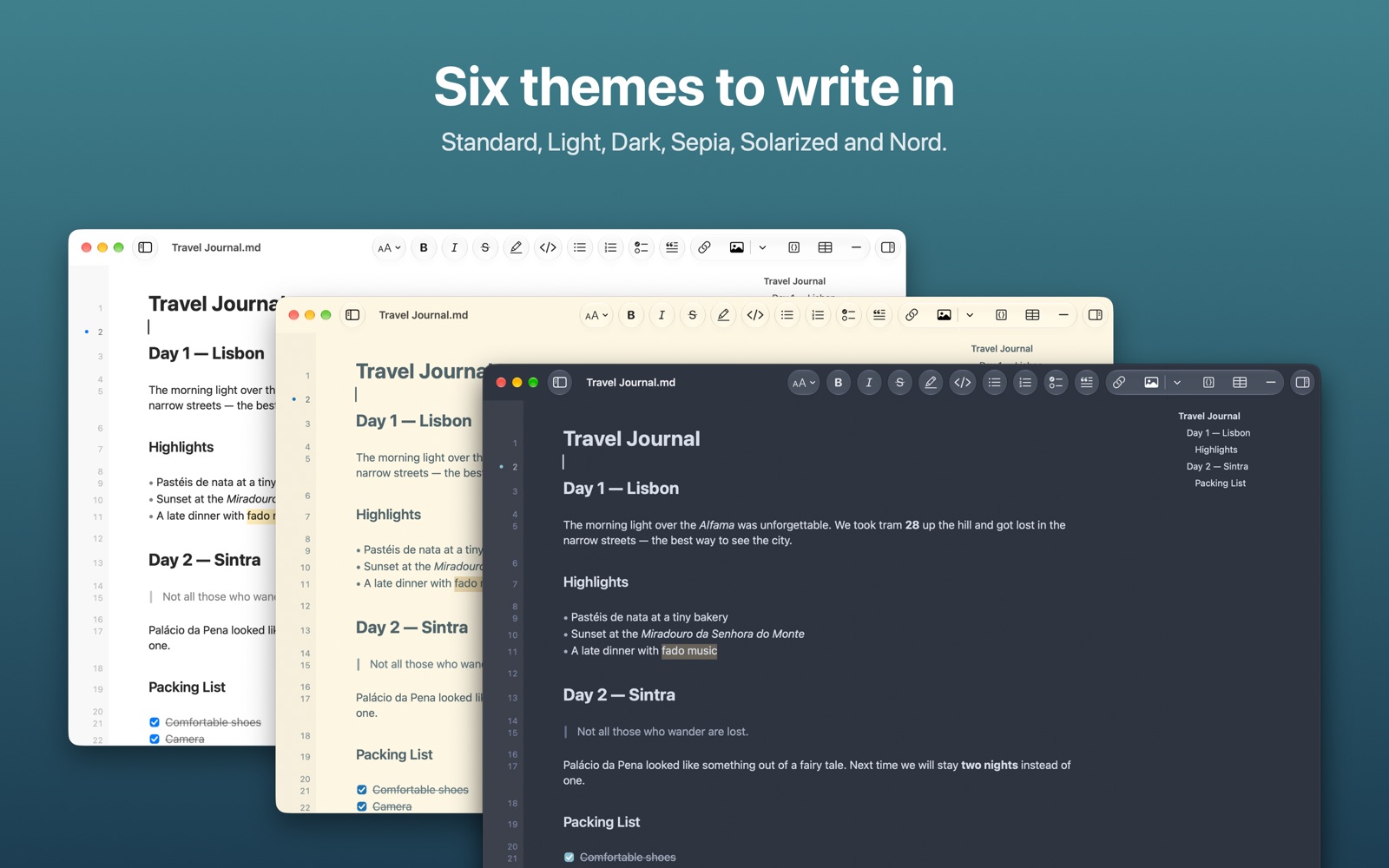
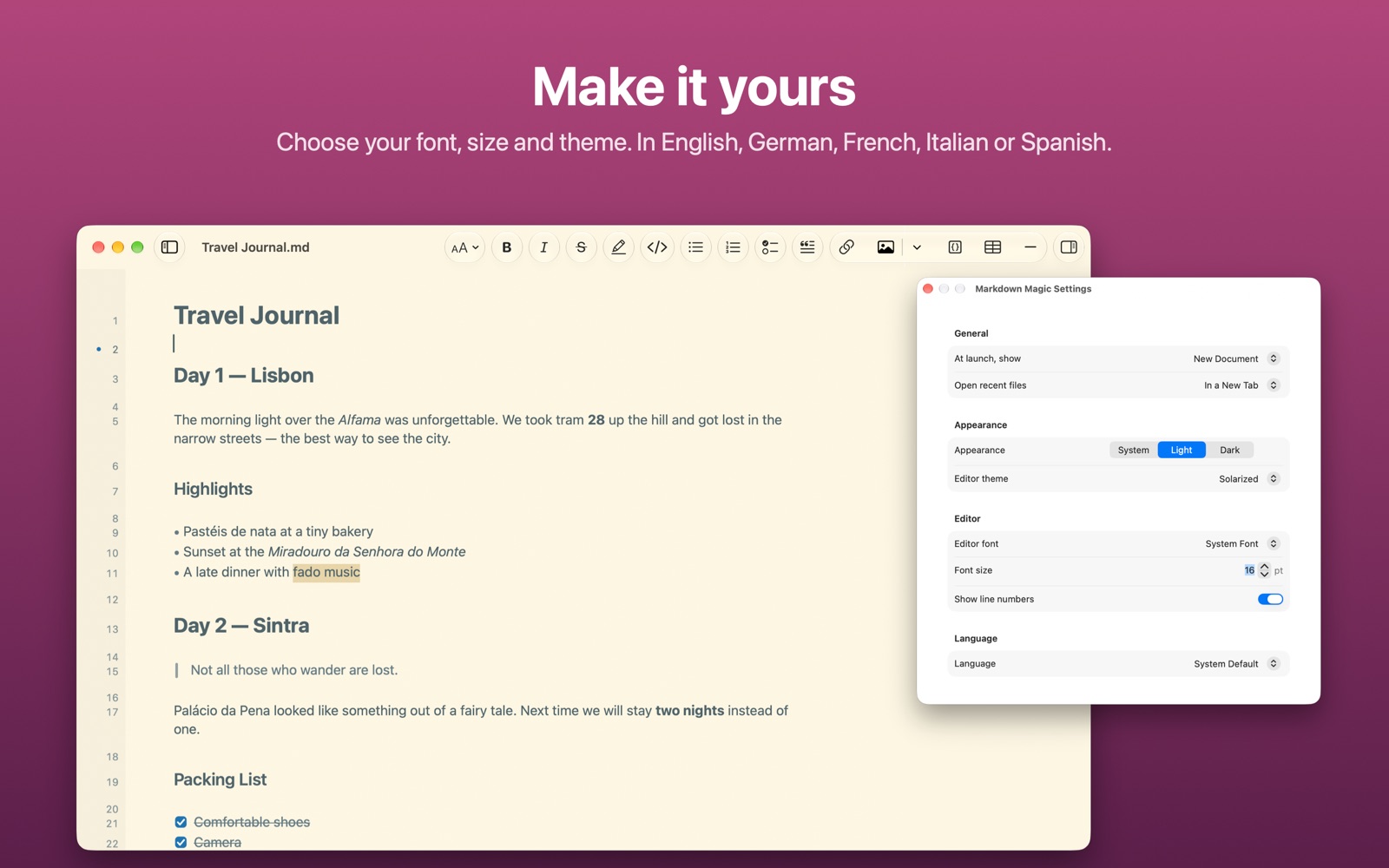
Six themes
Standard, Light, Dark, Sepia, Solarized and Nord, with your choice of font and size.
-
Five languages
Available in English, German, French, Italian and Spanish, with a built-in Markdown guide.
See it in action
Your files stay yours
Documents are plain .md files that open in any editor. Markdown Magic never rewrites your Markdown: rendering only changes how the text looks, so what you save is exactly what you typed. Mermaid and KaTeX are built in, so diagrams and formulas render completely offline.
Start writing.
Markdown Magic for macOS.